
What Is an Industrial Personal Computer?

An Industrial Personal Computer is more than a desktop placed inside a factory. It is an engineered control platform for harsh, continuous-use environments. Its sealed chassis may face dust, vibration, heat, electrical noise, and limited maintenance access. In a packaging line, it can coordinate cameras, sensors, robotic arms, and production software without interrupting operations.

Market estimates show why this category matters. MarketsandMarkets projects the industrial PC market to grow from approximately USD 5.8 billion in 2023 to USD 8.4 billion by 2028. Grand View Research also identifies manufacturing automation and edge computing as major growth drivers. These figures differ because analysts use different product definitions. That difference deserves attention.

Industrial networking specialist John Rinaldi has stated, “Industrial Ethernet is not office Ethernet.” The same principle applies to computing hardware. A factory computer must prioritize predictable performance, long lifecycle support, secure maintenance, and compatibility with industrial protocols. IEC 60068 testing, fanless cooling, wide-temperature operation, and redundant storage can become practical advantages, not marketing decorations.

The real question is not whether an Industrial Personal Computer is powerful. It is whether the system remains stable beside a vibrating motor at 45°C, day after day. Selection still involves compromise. More processing power can increase heat, cost, and failure risk. Engineers should examine workload, environmental ratings, connectivity, software support, and total ownership cost before choosing a model. No single specification sheet tells the whole story.
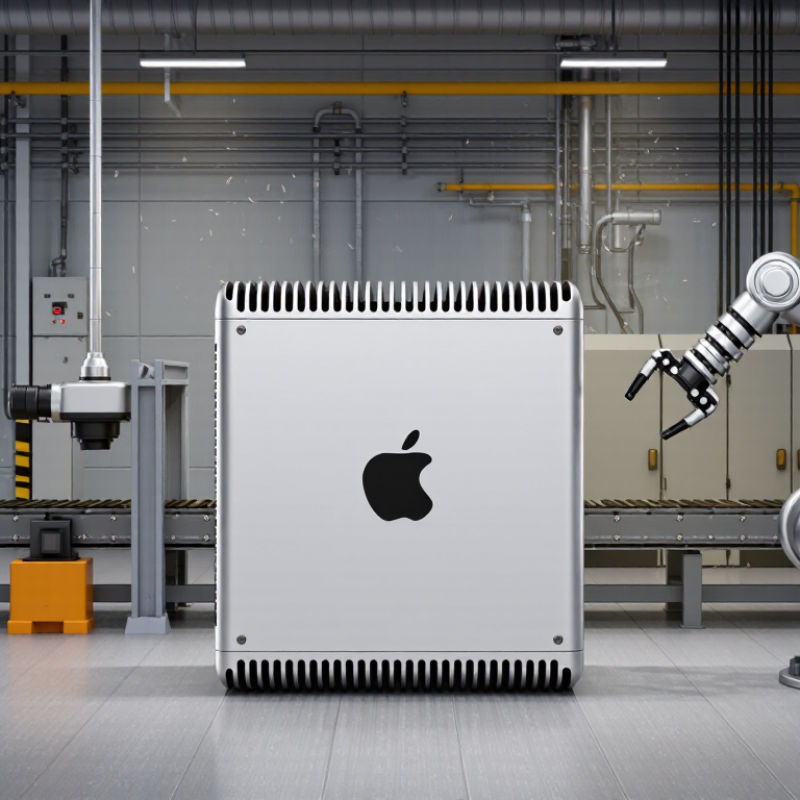
What Is an Industrial Personal Computer?

Definition and Core Characteristics of an Industrial Personal Computer

An industrial personal computer is a rugged computing platform designed for factory floors, control rooms, and outdoor equipment. It runs operating systems and industrial software like a conventional computer. However, its enclosure, cooling, interfaces, and power design support harsher conditions. The definition is not perfectly standardized.

Core characteristics include resistance to vibration, dust, temperature changes, and electrical noise. Many systems use fanless cooling, wide-range DC input, sealed enclosures, and long-life components. An IP rating, defined under IEC 60529, indicates protection against solids and water. It does not prove resistance to chemicals or vibration. That detail is often overlooked.

Connectivity is equally important. Industrial computers may provide Ethernet, serial ports, digital I/O, fieldbus connections, and display outputs. Their value becomes clearer as automation expands. The World Robotics 2023 report recorded 553,052 industrial robots installed globally in 2022, a 5% annual increase. Each robot cell may depend on local computing for vision, motion coordination, data collection, or alarm handling. In practical deployments, engineers also check operating temperature, maintenance access, storage endurance, and software support. The hardware may survive the plant, yet poor cable routing can still cause failure. This is where specifications meet experience. A stronger design also leaves room for uncertainty, because dust loads, voltage quality, and maintenance habits vary across sites.

Key Components and System Architecture

An industrial personal computer is built for continuous control, data collection, and harsh factory conditions. Its architecture differs from an office computer because failure can interrupt an entire production line. A 2024 industrial-computing market assessment valued this sector at roughly US$5 billion in 2023, reflecting rising demand for durable edge systems.

The core usually begins with an industrial-grade processor, ECC memory, and solid-state storage. ECC memory can correct small data errors before they affect control software. A fanless chassis reduces dust intake, while heat spreaders move thermal energy toward the enclosure. The design still needs careful testing. Fanless does not automatically mean cool. Power input often includes surge protection, wide-voltage support, and backup options. Expansion slots may support serial ports, digital I/O, Ethernet, fieldbus interfaces, and machine-vision devices.

At the system level, the operating system sits above drivers, control applications, and monitoring tools. A watchdog timer can restart an unresponsive process. Secure boot, device authentication, and network segmentation strengthen the architecture, aligning with guidance in NIST SP 800-82 Rev. 3. The need is visible in automation growth. The 2024 World Robotics report recorded 541,302 industrial robot installations worldwide during 2023. Each connected robot increases the value of dependable edge processing. It also increases the attack surface. Engineers sometimes overfocus on processor speed and underestimate connector vibration, storage wear, and recovery time. Reliability is more than rugged metal.

Operating Environments and Industrial Applications

What Is an Industrial Personal Computer?

Operating Environments and Industrial Applications

An industrial personal computer is built for places where ordinary office computers may fail. It often operates near dust, vibration, heat, moisture, or electrical noise. Its enclosure may use sealed panels and fanless cooling. This reduces dust movement and limits mechanical failure. One detail is easy to underestimate. Cable connections must remain secure during constant vibration.

In factories, these computers collect sensor data, display production conditions, and control approved automation systems. Operators may use touchscreens beside assembly lines or processing equipment. In warehouses, they support inventory tracking, barcode reading, and vehicle coordination. Transportation facilities use them for monitoring signals, schedules, and equipment status. Their value depends on stable performance, not impressive specifications alone.

Operating systems and software must match the working environment. A system may need real-time responses, long service availability, and secure remote maintenance. Engineers should check temperature ranges, power protection, ingress resistance, and mounting methods before installation. I have seen projects focus heavily on processing speed and overlook screen readability under harsh lighting. That mistake can slow decisions. No design is perfect. Regular inspection still matters, especially when sensors age or working conditions change.

Industrial PC Operating Environments and Applications

Industrial PCs are selected according to the environmental conditions of their deployment. The chart shows representative ambient operating-temperature bands commonly used for industrial control, factory-floor, outdoor edge, transportation, and control-room applications. Actual limits depend on the specific system design and installation.

Reliability, Safety, and Lifecycle Requirements

What Is an Industrial Personal Computer?

Reliability, Safety, and Lifecycle Requirements

An industrial personal computer is built for continuous operation in demanding environments. It may control machines, collect sensor data, or display production information. Unlike office computers, it must tolerate dust, vibration, temperature changes, and electrical noise. A stable system matters more than impressive specifications.

Reliability begins with careful hardware selection and testing. Engineers check operating temperatures, storage endurance, fan performance, and resistance to vibration. A sealed enclosure can reduce dust exposure, but it may also trap heat. That trade-off needs measurement, not guesswork. Watchdog timers, error logs, and remote diagnostics help technicians respond before a small fault stops production.

Safety requires more than a strong case. The computer should support safe shutdowns, protected power input, grounding, and electromagnetic compatibility. Its software must control access and record important events. A loose cable near a moving machine can create a serious hazard. Regular inspections remain necessary, even when monitoring tools appear reliable.

Lifecycle planning is often overlooked. Industrial equipment may operate for seven years or longer, while consumer parts change quickly. Organizations should confirm spare-part availability, operating-system support, repair procedures, and documented configuration backups. A replacement unit should fit existing wiring and software with minimal changes. This is not always achieved perfectly. Early planning can still prevent rushed substitutions, unclear responsibilities, and avoidable downtime.

What Is an Industrial Personal Computer? - Reliability, Safety, and Lifecycle Requirements
Requirement Area Key Requirement Typical Industrial PC Design Target Why It Matters
Operating Environment Extended operating temperature Common target ranges include approximately −20°C to 60°C, with wider ranges available for specialized deployments. Supports reliable operation in factory floors, control cabinets, transport systems, and other locations without constant climate control.
Environmental Protection Resistance to dust, moisture, and contaminants Sealed enclosures may use an IP rating appropriate to the installation, such as IP30 for protected cabinets or higher ratings for exposed locations. Reduces the risk of contamination-related failures caused by dust, oil mist, water, or airborne particles.
Mechanical Reliability Shock and vibration tolerance Designed and tested against applicable industrial or transportation vibration and shock profiles; solid-state storage helps eliminate drive-related mechanical failure. Maintains system stability when installed near motors, pumps, machine tools, vehicles, or production equipment.
Thermal Management Fanless or controlled cooling architecture Fanless systems use heat sinks and chassis conduction; fan-cooled systems may include replaceable filters, monitored fans, or redundant airflow. Controls heat while reducing the accumulation of dust and limiting the number of moving parts that can fail.
Power Reliability Tolerance of industrial power conditions Wide-range DC or AC input options, reverse-polarity protection, overvoltage protection, overcurrent protection, and controlled shutdown support. Helps prevent data loss and hardware damage caused by voltage fluctuations, electrical noise, or incorrect wiring.
Electrical Safety Protection against electrical hazards Design and evaluation may reference requirements such as IEC 62368-1 or other applicable electrical safety standards, depending on the product and market. Reduces risks related to electric shock, fire, excessive temperature, and hazardous energy during normal use and foreseeable faults.
Electromagnetic Compatibility EMI immunity and emissions control Industrial designs may be evaluated against applicable EMC requirements, including immunity to conducted and radiated disturbances and limits on emissions. Prevents communication errors and unexpected system behavior in electrically noisy environments.
Storage Reliability Data retention and write endurance Industrial solid-state storage is selected according to workload, temperature range, endurance rating, power-loss protection, and data-integrity requirements. Improves the likelihood that operating-system files, logs, recipes, and control data remain available after long-term use or power interruptions.
System Availability Watchdog and health-monitoring functions Hardware watchdog timers, temperature sensors, voltage monitoring, storage-health reporting, and automatic restart functions are commonly used. Allows the system to detect abnormal conditions and recover from certain software freezes without immediate on-site intervention.
Connectivity Industrial communication interfaces Configurable combinations may include Ethernet, serial interfaces, USB, digital I/O, fieldbus adapters, wireless communication, and display outputs. Enables connection to programmable controllers, sensors, cameras, human-machine interfaces, network infrastructure, and supervisory systems.
Mechanical Integration Secure installation and serviceability Panel-mount, wall-mount, rack-mount, DIN-rail, and embedded chassis options may be provided, with accessible connectors and service points. Supports stable installation, organized cabling, efficient maintenance, and reduced downtime during replacement or inspection.
Lifecycle Management Long-term product and component availability Industrial projects commonly require multi-year availability, controlled component changes, documented revisions, and advance notification of end-of-life events. Reduces redesign costs and prevents unexpected compatibility problems in equipment with long service lives.
Software Stability Controlled operating-system and driver environment Validated operating-system images, fixed driver versions, update procedures, backup plans, and application compatibility testing are commonly maintained. Limits unplanned changes that could interrupt automation, monitoring, data collection, or machine-control applications.
Maintenance Predictive and preventive maintenance support Service documentation may include cleaning intervals, thermal inspection, storage-health checks, fan replacement guidance, and spare-unit procedures. Helps maintenance teams identify degradation before it causes production interruption or loss of operational data.
Reliability Planning Failure recovery and system continuity Applications may use image backups, redundant storage or computing, automatic restart, spare units, and documented recovery-time objectives. Shortens recovery time and supports continuity for processes where downtime may affect safety, quality, or production output.
Note: Actual specifications depend on the installation environment, application workload, applicable regulations, and the validation methods used for the specific industrial computer design.

Comparison with Commercial Personal Computers

What Is an Industrial Personal Computer?

An industrial personal computer is designed for demanding workplaces, not ordinary desks. It may operate beside machines, inside control cabinets, or near dusty production lines. Compared with a commercial personal computer, it usually has a stronger enclosure, wider temperature tolerance, and better resistance to vibration. Many models also support long service periods, which helps factories avoid frequent hardware changes. However, industrial does not automatically mean faster. A commercial computer may deliver better graphics or processing power for office software.

The main difference is dependable operation under pressure. Industrial systems often use secure mounting, protected ports, and simplified cooling designs. Some support touchscreens, serial connections, or real-time monitoring equipment. Commercial computers usually prioritize low cost, compact design, and easy replacement. That makes them suitable for offices, classrooms, and clean indoor areas. In field installations, technicians may value stable connections more than peak performance. The boundary is not perfectly clean. A rugged system can still fail if ventilation, power quality, or maintenance is ignored.

Tips: Match the computer to its environment. Check temperature, dust, moisture, vibration, available ports, and expected operating hours. Confirm replacement parts and technical support before installation. Do not choose an industrial computer only because it looks stronger. Measure the workload first. A simple monitoring task may need little processing power, while vision inspection can demand much more. Testing the system in real conditions is wise, although many projects skip this step.